
Substack is the stronger starting point for writers building a newsletter and paid subscriptions. Threads is useful for reaching people beyond Substack and sending interested readers to a publication.
TL;DR: Choose Substack as your newsletter home and use Notes to share ideas with its network. Use Threads for additional discovery. This guide compares the subscribe paths and shows how to plan Notes plus Threads posts with WriteStack and Buffer.
What Substack Notes Actually Does for Writers
Notes is Substack's short-form feed, built directly into the app and website every subscriber already has open. A Note can be a single line, a quote pulled from someone else's post, an image, or a longer multi-paragraph thought. Anyone on Substack can see it, comment, restack it into their own feed, or click through to your publication, whether or not they subscribe to you yet.
Notes puts your writing in the Substack network, where readers can discover a publication and subscribe. That gives newsletter writers a direct place to test ideas and promote full posts.
Practical rule: use Notes to share a useful idea from a post, then give interested readers a clear way to find the publication.
What Threads Actually Does for Writers
Threads is Meta's text-sharing platform. Posts support links and media. Meta documents profile links, link-visit metrics and Insights that show how posts perform and where people discovered them.
Threads can introduce your ideas to people outside your Substack readership. Meta says eligible Threads posts can also be recommended on Instagram and Facebook.
A reader who discovers you on Threads still needs to visit your publication to subscribe. Make that destination clear in your profile and in posts where a link helps the reader.
Write each Threads post so it makes sense on its own. Give readers a useful observation before asking them to visit a longer article.
How the Algorithms Compare in 2026
What Substack documents about the Notes feed
Substack Help says Home includes Notes from people a reader subscribes to or follows, publications recommended by those subscriptions, and restacks and replies from the network. These are documented discovery paths; they do not establish a guaranteed ranking formula.
Share ideas readers can respond to, take part in relevant conversations, and measure what brings people to your publication. A small follower count alone does not tell you how a particular Note will perform.
Threads' discovery-first feed
Threads lets people use For You, Following and custom feeds. Meta documents topic tags and recommendations, including eligible posts shown on Instagram and Facebook. Readers can control which feed opens by default.
Practical rule: treat feed reach as variable on both platforms. Track publication visits and subscriptions alongside views.
Who's Actually on Each Platform
Substack connects publications with readers through newsletters and its social network. Notes is part of that environment, so a publication and its short posts can work together.
Threads is a general social platform. Use relevant topics and clear profile links to help people interested in your writing find the publication.
An existing Instagram audience may give you a reason to test Threads. If your readers already spend time on Substack, begin with Notes. Choose based on where your audience is and the work you can sustain.
Weighing Instagram itself? Our Substack vs Instagram guide compares the Instagram feed with Notes, including how to get followers from your bio and Stories to your Substack.
Thinking about Facebook too? Our Substack vs Facebook guide compares your profile, a Page and Groups with Notes.
| Question | Substack | Threads |
|---|---|---|
| Primary job | Publication, email newsletter and subscriptions | Social posts and conversations |
| Short-form format | Notes | Posts and reply threads |
| Subscribe path | Subscribe to a publication inside Substack | Visit the publication through a shared link |
| Measurement | Note stats include clicks and new subscribers | Insights include post performance and link visits |
| Longer text | Notes and full publication posts | 500-character posts with text attachments up to 10,000 characters |
Struggling to stay consistent on Substack?
Batch and queue your Substack Notes in minutes, track which Notes convert subscribers, and grow without burning out.
How to Measure Subscriber Growth
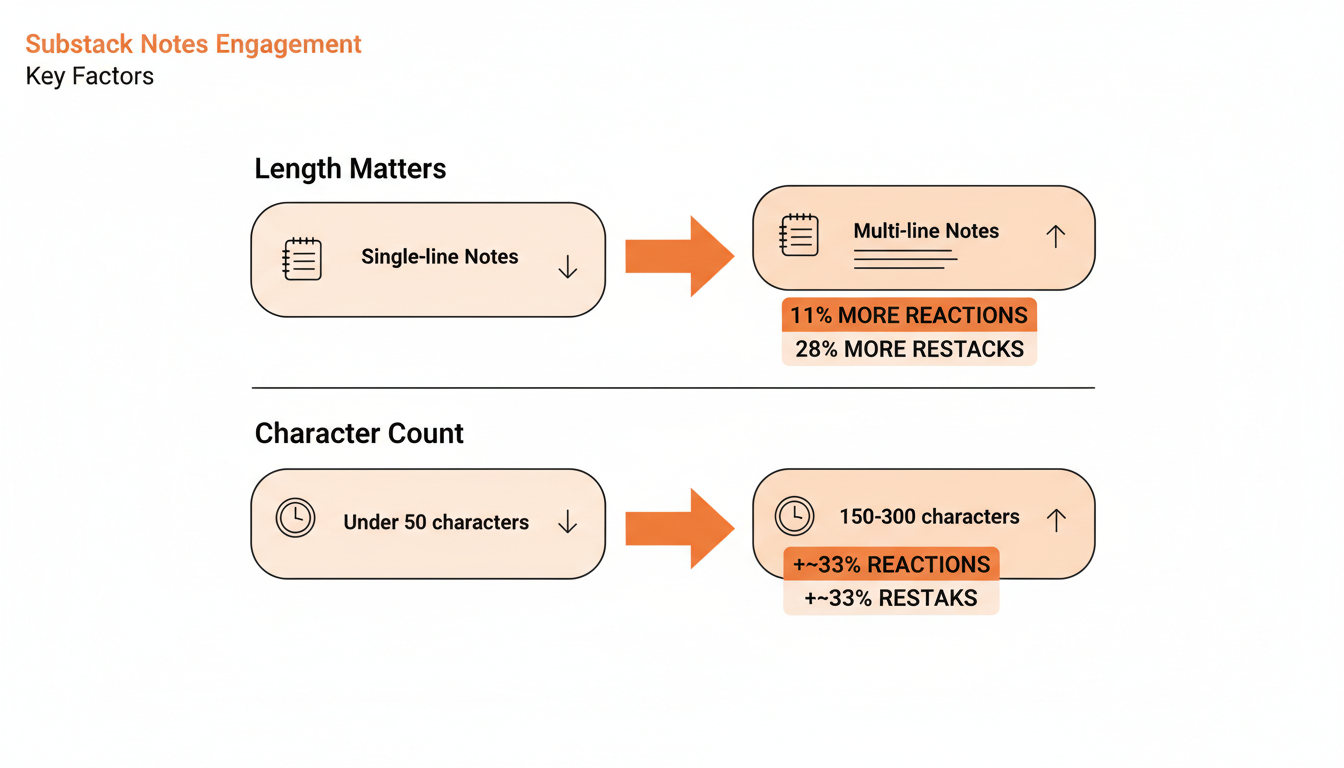
Use your own results to compare the channels. Start with a clear baseline for publication subscribers, publish useful ideas on each channel, and record the time you spend preparing and replying.
Substack Help says Note stats can include clicks, new free and paid subscribers, followers and revenue. Threads Insights includes views, interactions and link visits. These measure different steps in the reader journey.
Compare subscriptions with the effort each channel takes. Where attribution is incomplete, report that limit rather than treating every visit or view as a subscriber.
Use identifiable article links where appropriate and review publication traffic alongside the platform dashboards. A viral post and a useful source of subscribers can be different things.
Judge the test over a consistent period. There is no source-backed guarantee here that a new account will reach a particular growth milestone in a fixed number of months.
Format Differences That Actually Matter
Threads supports 500-character posts and text attachments up to 10,000 characters. Notes supports short-form posts with links and media; Substack also has full publication posts for longer work.
Both platforms support outbound links. Meta documents link-visit tracking for links in posts and bios, and explicitly describes text attachments as a way to promote work elsewhere.
Place a link where it helps the reader take the next step. We have not established a general Threads reach penalty for external links, so removing every link is not a rule this guide recommends.
The Case for Posting on Both
Use Substack as the home for your newsletter and paid subscriptions. Test Threads as another discovery route if you can maintain it. Measure which channel sends interested readers rather than assuming a universal conversion winner.
The part people do not expect: WriteStack adds a Notes queue and an Activity Center for handling replies and mentions. Use Notes statistics to review what readers did after a post. Substack itself has supported scheduled Chat threads since 6 Jul 2026; this workflow focuses on Notes.
Write the idea once, then adapt it to each audience. On Notes, connect it to the publication. On Threads, make the post useful to a reader encountering your work for the first time, with a link when it fits.
Running Both Without Doubling Your Work
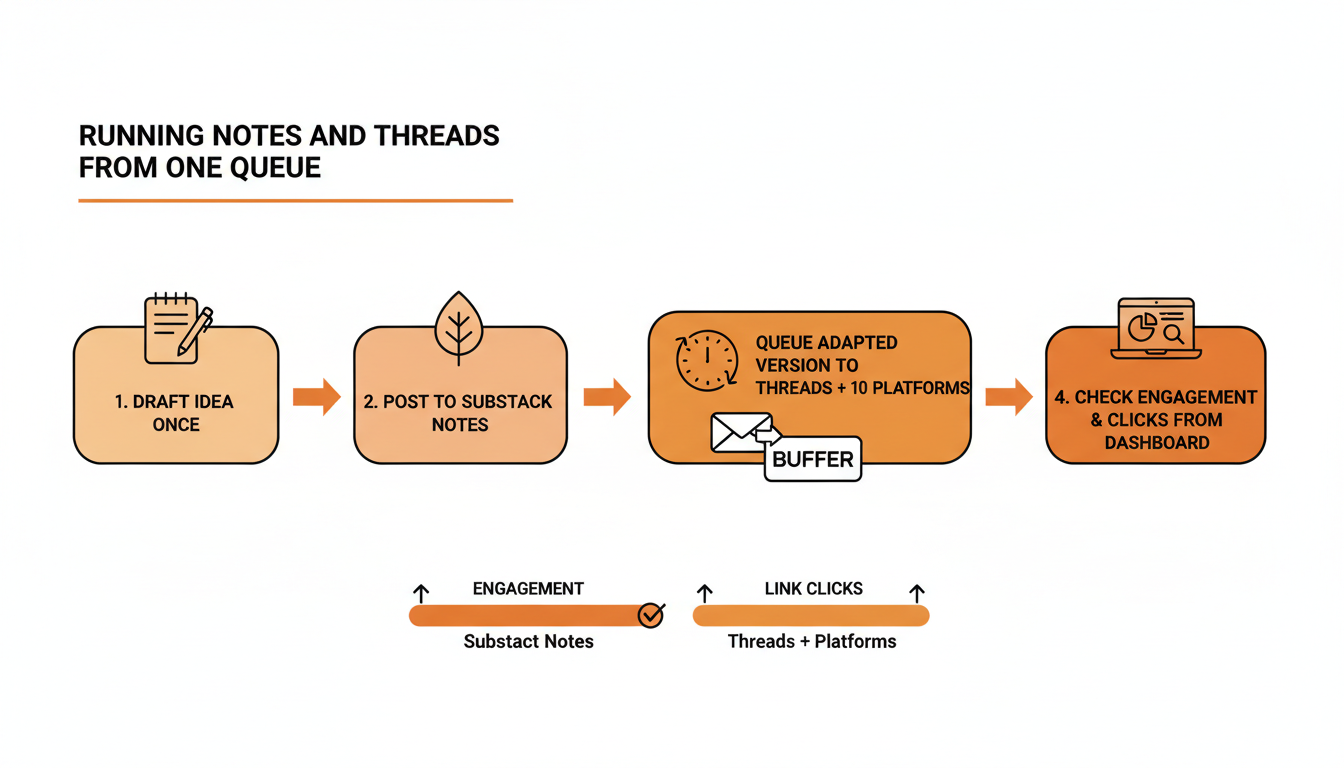
WriteStack helps you draft and queue Substack Notes in a batch. Sync then runs automatically through the WriteStack Chrome extension and publishes your queued Notes to Substack. Confirm the handoff before relying on the schedule.
For Threads, WriteStack works with connected Buffer channels. Buffer handles the social cross-posting side, while WriteStack focuses on the Substack Notes workflow. Check your connected channels and plan before setting up the sequence.
Review Notes performance and the Threads results in their respective dashboards. Use the comparison to choose which ideas deserve a follow-up and where to spend your next writing session.
Practical rule: review each version before queueing it. Check that the text and link make sense for that platform, then confirm the connected Buffer destination. Sync handles the Substack side through the Chrome extension.
A planned batch reduces repeated setup work. Keep time for real conversations on both platforms rather than filling a queue and treating engagement as finished.
More comparisons: Substack Notes vs Mastodon covers the decentralized, chronological option. Substack Notes vs LinkedIn covers posting to your professional network.
FAQ: Substack Notes vs Threads
Is Threads worth it if I only write on Substack? It can be worth testing as an additional source of readers. Keep Substack as the publication home and use visits and subscriptions to decide whether the extra work pays off.
Do I need to post identical content to both? Adapt the wording to the audience. Both platforms support links, so include one when it helps readers find the full piece.
Which one should a brand-new Substack start with? Start with a useful publication and Notes that introduce its ideas to the Substack network. Test Threads too if your intended readers are there or you already have an audience connected to it.
Can I plan both from the same workflow? WriteStack queues Substack Notes and works with connected Buffer channels for Threads. Once Notes are queued, Sync runs automatically through the Chrome extension.
Build a repeatable writing routine: draft a useful batch of Notes in WriteStack, review the Threads versions for your connected Buffer channel, and let Sync publish your Notes through the Chrome extension. Then measure which ideas bring readers to your publication.